Robotics projects are no longer “extra” enrichment activities reserved for after-school clubs. In strong STEM and CTE programs, robotics projects function as integrated technical learning experiences where students apply mechanical design, electronics, programming, data analysis, troubleshooting, safety practices, documentation, and teamwork.
For educators and curriculum directors, the key question is not whether robotics is engaging. It is. The harder question is whether robotics projects are aligned to standards, technically credible, safe, assessable, affordable, and connected to real workforce and postsecondary expectations.
This article focuses on designing robotics projects that work in classrooms, labs, makerspaces, and CTE pathways—not just competitions.
A robotics project is a structured learning task in which students design, build, program, test, and improve a system that senses, processes information, and acts on the physical world.
That definition matters. A remote-controlled car with no sensing or decision-making may be a useful mechanical build, but it is not a full robotics project. A simulation-only coding activity may teach algorithms, but it lacks the physical constraints that make robotics valuable: friction, weight distribution, sensor noise, battery sag, latency, wiring errors, and mechanical tolerance.
A high-quality robotics project usually includes:
- A defined problem or mission
- Mechanical structure or end effector
- Electrical or electronic components
- Sensors or inputs
- Actuators or outputs
- Programmed logic or control
- Testing data
- Iteration based on evidence
- Documentation of decisions, failures, and revisions
Educational Robotics vs. Industrial Robotics
Educational robotics platforms such as LEGO Education SPIKE, VEX, REV, Arduino, micro:bit, Raspberry Pi, and FIRST-style kits are designed for student access, rapid iteration, and classroom safety.
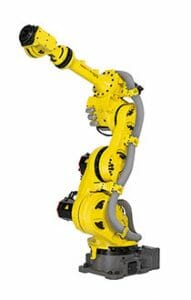
Industrial robotics systems—such as articulated arms, collaborative robots, autonomous mobile robots, PLC-connected workcells, and machine vision systems—reflect manufacturing, logistics, agriculture, healthcare, and infrastructure applications. These systems introduce more demanding safety, precision, and integration requirements.
Both categories have a place, but they serve different instructional goals.
| Project Type | Best For | Technical Emphasis | Typical Cost | Cautions |
||||||
| Block-based mobile robot | Grades 3–8, intro STEM | Sequencing, sensors, loops, simple mechanisms | Low to moderate | Can become “toy-like” without engineering constraints |
| Arduino or microcontroller robot | Middle school, high school, intro CTE | Circuits, coding syntax, debugging, sensor calibration | Low to moderate | Requires stronger teacher comfort with electronics |
| Competition robot | Middle/high school, CTE, clubs | Systems engineering, fabrication, teamwork, iteration | Moderate to high | Competition calendar can drive instruction instead of standards |
| Robotic arm project | High school CTE, mechatronics | Kinematics, end effectors, precision, automation | Moderate to high | Safety and calibration are essential |
| Industrial robot or cobot cell | Advanced CTE, community college dual credit | Workcell design, safety, PLC/HMI, tooling, manufacturing | High | Must align to ANSI/RIA and district safety policies |
| Simulation/digital twin robotics | High school, AP/CTE, advanced pathways | Algorithms, controls, AI, systems modeling | Low to moderate | Needs connection to physical testing when possible |
For those interested in exploring innovative applications of robotics in education, a related article discusses the National Science Foundation’s investment in tribal STEM education, highlighting the importance of fostering technological skills among underrepresented communities. This initiative not only aims to enhance educational opportunities but also encourages students to engage in robotics projects that can lead to real-world solutions. You can read more about this initiative in the article available at here.
Why Robotics Projects Matter in STEM and CTE
Robotics sits at the intersection of several priority areas: engineering design, computer science, advanced manufacturing, automation, artificial intelligence, and career-connected learning.
Primary-source guidance from education and workforce organizations supports this interdisciplinary approach. The Next Generation Science Standards emphasize engineering design, systems thinking, modeling, and data-based iteration. The CSTA K–12 Computer Science Standards include algorithms, programming, computing systems, and impacts of computing. ITEEA’s Standards for Technological and Engineering Literacy emphasize technological systems, design, troubleshooting, and the human-made world. OSHA and NIOSH resources highlight the importance of safety in automated environments. The U.S. Department of Labor’s O*NET and related workforce data show continued demand for skills associated with mechatronics, industrial maintenance, electro-mechanical systems, automation, and computer-controlled equipment.
Robotics projects make these expectations visible.
Students can see whether their code works. They can measure whether a chassis drifts. They can compare sensor readings. They can diagnose whether failure came from software, wiring, gear ratio, torque limits, battery condition, or a poorly defined requirement.
That systems-level troubleshooting is one of the strongest instructional reasons to teach robotics.
Robotics Builds Transferable Technical Habits
Effective robotics projects teach students to:
- Read and interpret technical documentation
- Use version control or structured file management
- Draw wiring diagrams and mechanical sketches
- Select components based on constraints
- Use multimeters, calipers, crimpers, drivers, and fabrication tools
- Test one variable at a time
- Collect and interpret performance data
- Communicate design tradeoffs
- Follow safety procedures
- Work in defined engineering roles
These habits transfer to engineering, manufacturing, agriculture technology, biomedical technology, transportation, construction automation, and computer science pathways.
Robotics Makes Abstract Standards Concrete
Robotics can turn abstract academic standards into performance tasks. For example:
- Proportional reasoning becomes motor speed control.
- Linear functions become distance-time calibration.
- Geometry becomes turning radius and chassis layout.
- Physics becomes torque, center of mass, friction, force, and energy.
- Computer science becomes conditional logic, sensor thresholds, functions, arrays, and feedback loops.
- Engineering design becomes requirement analysis, prototyping, test plans, and redesign.
This is why robotics projects are especially useful in integrated STEM and CTE programs where students need to demonstrate applied knowledge, not just recall terminology.
Designing Robotics Projects That Are Technically Credible
A robotics project should begin with the same question used in engineering and CTE curriculum design: what should students be able to do by the end?
Start with performance outcomes, not the robot kit.
Define the Technical Learning Target
Weak target: “Students will build a robot.”
Stronger target: “Students will design, program, and test a mobile robot that uses sensor feedback to navigate a defined path, document at least two design iterations, and explain how changes affected accuracy and reliability.”
The second target names the system, the control method, the test condition, the evidence, and the communication requirement.
Use Constraints That Force Engineering Decisions
Robotics projects become more rigorous when students must make tradeoffs.
Useful constraints include:
- Maximum robot footprint
- Minimum payload
- Battery limit
- Time limit
- Material budget
- Required sensor type
- Required programming structure
- Accuracy tolerance
- Safety boundary
- Environmental condition, such as low light or uneven surface
- Maintenance requirement, such as easy battery access
A project without constraints often becomes a decoration contest or a race to copy the fastest online build.
Require Testing Data
Every robotics project should include a testing protocol. Data should be simple enough to collect but specific enough to guide redesign.
Examples:
- Average distance error over five trials
- Time to complete task
- Number of successful object pickups out of ten attempts
- Battery voltage before and after run
- Sensor reading range under different lighting conditions
- Line-following deviation from centerline
- Payload capacity before motor stall
- Cycle time in a simulated manufacturing task
When students collect data, “it worked” becomes “it succeeded in 4 of 5 trials with an average completion time of 37.2 seconds.”
Teach Debugging as a Formal Process
In robotics, failure is expected. But failure should not be chaotic.
Teach students to separate likely failure domains:
- Mechanical: loose fasteners, gear slip, wheel alignment, binding, center of mass
- Electrical: loose wires, reversed polarity, damaged cable, low battery, poor grounding
- Software: incorrect logic, syntax errors, wrong port assignments, untested assumptions
- Sensor: noise, calibration, interference, angle, distance, lighting
- Human process: undocumented changes, unclear roles, skipped test steps
A visible troubleshooting flowchart in the lab can reduce teacher bottlenecks and improve student independence.
Sure, here is the sentence with the clickable link:
I am passionate about the intersection of Education & Technology.
Robotics Project Ideas by Grade Band
Robotics projects should develop over time. The same “robotics” label can mean very different learning experiences depending on grade level, safety requirements, and student readiness.
Elementary School: Sense, Sequence, and Explain
At the elementary level, robotics should focus on cause and effect, computational thinking, spatial reasoning, and early engineering design.
Project examples:
- Program a robot to move through a map of community locations.
- Build an animal-inspired robot that uses one sensor to respond to its environment.
- Design a simple assistive device that pushes, pulls, or signals.
- Create a robot that sorts objects by color or proximity.
Assessment should emphasize explanation: What did the robot sense? What did the program tell it to do? What changed after testing?
Avoid overemphasizing speed or competition. Young students need time to predict, test, observe, and revise.
Middle School: Mechanisms, Sensors, and Iteration
Middle school students are ready for more explicit links among mechanisms, programming logic, and data.
Project examples:
- Line-following robot with sensor calibration
- Obstacle-avoidance robot using ultrasonic or infrared sensors
- Gear ratio investigation using different drivetrain configurations
- Mini warehouse robot that transports objects between zones
- Environmental monitoring rover that collects simulated field data
Middle school is also a good place to introduce engineering notebooks, design matrices, and basic circuit diagrams.
A strong middle school robotics project might ask students to compare two drivetrain designs and justify which one performs better under a specific condition.
High School STEM: Controls, Systems, and Analysis
High school robotics projects should move beyond “build and drive” into control systems, mathematical modeling, and technical documentation.
Project examples:
- Autonomous delivery robot using encoders and sensor feedback
- Robotic arm that sorts objects by color, weight, or shape
- Maze-solving robot using conditional logic or mapping
- Vision-assisted robot using camera input or machine learning classification
- PID-controlled balancing, line-following, or speed-regulation system
Students should analyze performance using graphs, calculations, and written engineering claims supported by evidence.
High school students can also use simulation tools before physical testing. However, simulation should not replace real-world validation unless equipment access is limited.
CTE and Advanced Manufacturing: Workcells and Integration
In CTE programs, robotics projects should connect directly to occupational tasks and industry practices.
Project examples:
- Design a robotic pick-and-place workcell with guarding and safe operating procedures.
- Program a cobot to complete a repetitive assembly or inspection task.
- Integrate a conveyor, sensor, PLC, and robot arm.
- Create a preventive maintenance checklist for a robotic system.
- Use machine vision to inspect part orientation or quality.
- Develop an HMI screen for operator control and status monitoring.
Advanced CTE projects should include safety documentation, risk assessment, lockout/tagout awareness where applicable, and standards-aligned work practices.
For industrial robotics, educators should consult applicable safety standards such as ANSI/RIA R15.06 for industrial robot systems, ISO 10218, ISO/TS 15066 for collaborative robot guidance, and OSHA machine guarding and electrical safety requirements. Districts should also involve facilities, risk management, and industry advisory committees before installing advanced equipment.
If you’re interested in exploring innovative Robotics Projects, you might find it beneficial to read about the importance of education in bridging the skills gap in today’s economy. This insightful article discusses how building employer-education partnerships can enhance the workforce and prepare students for future careers. You can check it out here: importance of education in shaping the next generation of professionals, including those in the field of robotics.
Applying Robotics Projects in Curriculum
Robotics can be taught as a standalone course, embedded in science or engineering units, used in computer science, or placed in a CTE pathway. Each model has benefits and limitations.
Standalone Robotics Course
A standalone course allows depth. Students can progress from basic mechanisms to sensors, controls, automation, and systems integration.
A semester structure might look like:
- Lab safety, tools, and platform orientation
- Mechanical systems and drivetrains
- Electrical systems and sensors
- Programming fundamentals
- Feedback and control
- Design challenge 1: mobile robot
- Design challenge 2: manipulator or sorting system
- Capstone: autonomous task with documentation and presentation
This model works well in high schools and CTE centers.
Robotics in Science
In science classes, robotics should support disciplinary concepts rather than replace them.
Examples:
- Physics: torque, force, acceleration, energy transfer, friction
- Earth and space science: rover design for terrain constraints
- Biology: biomimetic locomotion or assistive technology
- Environmental science: sensor-based data collection
The key is to assess both the robotics performance and the science understanding.
Robotics in Computer Science
Robotics is a powerful context for teaching algorithms because physical output reveals logic errors.
Students can learn:
- Variables and constants
- Conditional statements
- Loops
- Functions
- Sensor input
- Event-driven programming
- Data logging
- Control structures
- Debugging strategies
For advanced students, robotics can introduce path planning, computer vision, machine learning, and embedded systems.
Robotics in CTE Pathways
Robotics fits naturally into:
- Advanced manufacturing
- Mechatronics
- Engineering technology
- Electronics
- Welding and fabrication
- Information technology
- Agriculture technology
- Automotive and transportation
- Biomedical technology
CTE robotics projects should reflect authentic workplace tasks. That means using work orders, technical drawings, safety checklists, maintenance logs, quality criteria, and customer requirements.
Assessment Methods for Robotics Projects
Robotics assessment should not be based only on whether the robot wins a challenge. That approach rewards prior experience, outside help, expensive parts, and risk-taking that may not reflect learning.
A better assessment system combines process, product, technical understanding, and reflection.
Performance Rubrics
A robotics rubric should include categories such as:
- Requirements analysis
- Mechanical design
- Electrical reliability
- Code structure and readability
- Sensor use and calibration
- Testing procedure
- Data analysis
- Iteration and improvement
- Safety practices
- Team communication
- Technical documentation
Each category should describe observable evidence.
For example, “code quality” might require meaningful variable names, comments for major functions, modular structure, and version history—not just “program works.”
Engineering Notebooks and Portfolios
Notebooks help teachers assess individual learning in team projects.
Require students to document:
- Problem statement
- Constraints and criteria
- Initial sketches
- Component choices
- Wiring diagrams
- Pseudocode or flowcharts
- Test data
- Failures and fixes
- Photos of prototypes
- Final reflection
Digital portfolios can include CAD files, code repositories, videos, test spreadsheets, and presentations.
Individual Checks in Team Projects
Team robotics projects can hide uneven participation. Use individual assessments such as:
- Short oral defenses
- Debugging quizzes
- Wiring diagram interpretation
- Code tracing tasks
- Tool and safety demonstrations
- Individual reflection prompts
- Peer role verification
Ask questions such as: “If the ultrasonic sensor returns inconsistent values, what are three possible causes and how would you test each one?”
Authentic Assessment
For CTE and advanced programs, use workplace-style assessment:
- Can the student follow a work order?
- Can the student perform a safe startup and shutdown?
- Can the student diagnose a fault?
- Can the student modify a program to meet a new requirement?
- Can the student explain the risk controls in a robotic workcell?
- Can the student document maintenance or calibration?
This aligns more closely with industry expectations than a one-time classroom race.
Common Mistakes in Robotics Projects
Robotics projects fail for predictable reasons. Most are preventable through better planning.
Mistake 1: Starting With Hardware Instead of Outcomes
Buying robots before defining curriculum often leads to underused equipment. A platform should be selected because it supports the learning outcomes, not because it is popular.
Before purchasing, ask: Will this platform teach the programming, mechanical, electrical, and safety skills we need?
Mistake 2: Treating Competitions as the Curriculum
Competitions can be excellent motivators, but they are not automatically comprehensive instruction. Competition teams often develop a few highly skilled students while others become passive.
If competitions are part of the program, map them to standards, require documentation, rotate roles, and create non-competition assessments.
Mistake 3: Ignoring Safety Until Advanced Courses
Even small robots can create hazards: pinch points, sharp edges, hot soldering tools, lithium batteries, tripping hazards, eye injuries, and tool misuse.
Safety should begin in elementary and increase with risk. By high school and CTE levels, students should understand risk assessment, PPE, tool procedures, electrical precautions, and emergency stop expectations.
Mistake 4: Allowing Copy-and-Paste Engineering
Students can find complete robot designs and code online. That is not always bad; professionals also use references. The mistake is allowing students to submit copied designs without analysis.
Require students to explain adaptations, constraints, tradeoffs, and test results. A copied design that is modified, justified, and improved can become legitimate learning.
Mistake 5: Assessing Only the Final Robot
Robotics involves iteration. If the final robot fails but the student can explain the system, identify failure causes, and propose evidence-based improvements, learning has occurred.
Assess the design process, not just the final run.
Mistake 6: Underestimating Maintenance
Robotics equipment needs batteries, chargers, replacement cables, sensors, motors, fasteners, wheels, field materials, storage bins, software updates, and repair time.
Programs should budget for annual refresh and consumables, not just initial kits.
Costs, Funding, and Program Planning
Robotics can be affordable, but it is rarely free. The most sustainable programs plan for total cost of ownership.
Typical Cost Categories
Budget lines may include:
- Robot kits or base platforms
- Controllers and sensors
- Motors and actuators
- Batteries and chargers
- Spare parts and consumables
- Tools and storage
- Laptops or tablets
- Software licenses, if applicable
- Competition registration and travel
- Safety equipment
- Teacher professional development
- Replacement cycle and maintenance
A classroom set of basic robots may cost a few thousand dollars. A high school competition program can cost significantly more once travel, fields, parts, and event fees are included. An advanced manufacturing robotics cell can range from tens of thousands to well over six figures depending on the robot, guarding, end effectors, PLCs, training, installation, and facilities modifications.
Funding Sources to Consider
Relevant funding may include:
- Perkins V funds for approved CTE programs aligned to local needs assessments
- State CTE modernization or equipment grants
- ESSA Title IV-A funds for well-rounded education and STEM activities, where allowable
- NSF ITEST or ATE opportunities, often through partnerships
- Local workforce development boards
- Manufacturer or industry sponsorships
- Community foundations
- Education service agencies
- Dual-enrollment partnerships with community colleges
- Employer donations of equipment, scrap materials, or mentoring time
Funding requests are stronger when tied to labor market data, program standards, credential opportunities, advisory committee input, and measurable student outcomes.
Purchasing Checklist
Before buying a robotics platform, ask:
- Which grade levels and courses will use it?
- Which standards or competencies does it support?
- Does it scale from beginner to advanced use?
- Are replacement parts available and affordable?
- What programming languages are supported?
- Does it allow sensor integration?
- Is it durable enough for classroom use?
- What safety risks are introduced?
- What professional development is required?
- Can students access documentation independently?
- Are there accessibility supports for diverse learners?
- What is the expected replacement cycle?
- Can it connect to industry-recognized tools or concepts?
Equity, Access, and Inclusion in Robotics
Robotics programs can either broaden participation in STEM or reinforce existing inequities. Educators should design access intentionally.
Avoid the “Expert Student” Trap
Robotics clubs and classes often develop a small group of students who dominate building and coding. Teachers should assign rotating roles, such as:
- Mechanical lead
- Programmer
- Electrical technician
- Test engineer
- Documentation manager
- Safety officer
- Project manager
- Quality inspector
Roles should rotate so every student develops technical competence.
Build Multiple Entry Points
Not every student arrives with the same background. Provide entry points through:
- Visual programming and pseudocode
- Physical prototyping
- CAD and design sketching
- Data collection
- Technical writing
- Fabrication
- Troubleshooting
- Presentation and customer communication
Robotics is interdisciplinary. Students should see that coding is important, but it is not the only valuable contribution.
Design for Accessibility
Consider students with disabilities when designing robotics tasks. Provide:
- Adjustable work surfaces
- Alternative input devices
- Partner structures that support independence
- Clear visual instructions
- Captioned tutorial videos
- Tactile labels when useful
- Options for simulation or remote programming
- Safety accommodations for tools and movement
Robotics can also be a powerful context for assistive technology design, but avoid framing disability as a simplistic “problem to fix.” Engage users, define needs respectfully, and emphasize human-centered design.
Practical Robotics Project Examples
Below are robotics project models that can be adapted across grade bands.
Project 1: Autonomous Delivery Robot
Students design a robot that transports a small payload from a start zone to a delivery zone without remote control.
Technical focus:
- Drivetrain design
- Distance calibration
- Payload stability
- Sensor-based navigation
- Testing repeatability
Assessment evidence:
- Route completion data
- Payload retention rate
- Code explanation
- Design iteration notes
Extension:
Add obstacle detection, multiple delivery zones, or barcode/color-based destination logic.
Project 2: Robotic Sorting System
Students create a system that sorts objects by color, size, material, or simulated product type.
Technical focus:
- Sensor selection
- Classification logic
- Actuator timing
- Error handling
- Quality control
Assessment evidence:
- Sorting accuracy percentage
- Confusion matrix for object classification
- Mechanical reliability notes
- Explanation of false positives and false negatives
Extension:
Connect the project to manufacturing quality inspection or recycling systems.
Project 3: Search-and-Rescue Rover
Students design a rover that navigates a disaster-zone model and identifies target objects.
Technical focus:
- Terrain adaptation
- Sensor range
- Remote vs. autonomous control
- Mapping
- Communication constraints
Assessment evidence:
- Mission success rate
- Terrain performance comparison
- Operator procedure
- Risk analysis
Extension:
Include environmental sensors such as temperature, gas simulation, or light level.
Project 4: Robotic Arm Workcell
Students program a robotic arm to move parts between stations.
Technical focus:
- Coordinate systems
- End effector design
- Repeatability
- Cycle time
- Safety boundaries
Assessment evidence:
- Workcell layout
- Program documentation
- Cycle time data
- Safety checklist
- Failure recovery procedure
Extension:
Add PLC integration, machine vision, or human-machine interface elements.
Project 5: Agricultural Monitoring Robot
Students design a robot or rover that collects simulated crop or soil data.
Technical focus:
- Field navigation
- Sensor logging
- Data interpretation
- Rugged design
- Energy management
Assessment evidence:
- Data table and visualization
- Sensor calibration process
- Design justification
- Maintenance plan
Extension:
Discuss precision agriculture, autonomous tractors, drones, and environmental impacts.
Questions to Ask Your Program
Use these questions during curriculum review, equipment planning, or advisory board meetings.
- What robotics competencies should students demonstrate by the end of each grade band or course?
- Are robotics projects aligned to NGSS, CSTA, ITEEA, state CTE standards, or local pathway competencies?
- Do students learn mechanical, electrical, programming, and safety concepts—or only one of those domains?
- How do we assess individual student learning in team-based projects?
- Are students required to collect data and iterate based on evidence?
- Do our projects reflect authentic applications in industry, research, community needs, or postsecondary study?
- What safety standards and district policies apply to our equipment?
- How are students taught to document design decisions and troubleshooting?
- What is our annual budget for parts, batteries, tools, repairs, and teacher training?
- Which students have access to robotics, and which students are unintentionally excluded?
- How do robotics projects connect to credentials, dual credit, internships, apprenticeships, or capstone experiences?
- What will we stop doing if robotics is added, so the curriculum remains coherent?
What to Watch Next in Robotics Education
Robotics education is changing quickly. Curriculum leaders should monitor several developments.
Collaborative Robots in CTE
Collaborative robots, or cobots, are becoming more common in manufacturing and logistics training. They can support safer human-robot interaction when properly selected and risk-assessed, but “collaborative” does not mean automatically safe. End effectors, payloads, speeds, pinch points, and workcell layout still matter.
Advanced programs should teach students how safety is engineered, not assumed.
AI and Machine Vision
Robotics projects increasingly include image recognition, object detection, natural language interfaces, and machine learning. Educators should approach these tools carefully.
Students need to understand training data, bias, confidence thresholds, false classifications, and validation. A robot using AI still needs mechanical reliability and safe behavior.
Digital Twins and Simulation
Simulation tools can reduce cost, support remote learning, and let students test code before using hardware. Digital twins are also common in industry.
However, simulation should include discussion of the “reality gap”: real robots experience friction, sensor noise, backlash, battery variation, and environmental unpredictability.
Cybersecurity for Robotic Systems
As robots connect to networks, cybersecurity becomes relevant. CTE programs using industrial equipment should introduce secure passwords, network segmentation, firmware updates, access control, and the risks of connected automation.
This is especially important where robotics overlaps with manufacturing, logistics, utilities, and infrastructure.
Sustainability and Repairability
Robotics programs generate electronic waste if equipment is treated as disposable. Teach students to repair, reuse, document, and responsibly recycle components.
Sustainability can become part of the design challenge: reduce material use, design modular parts, extend battery life, or plan for maintenance.
FAQs About Robotics Projects
What is the best robotics platform for schools?
There is no single best platform. The right choice depends on grade level, learning goals, teacher expertise, budget, durability, programming environment, and replacement parts. Elementary programs often benefit from durable block-based systems. Middle and high school programs may need expandable platforms with sensors, metal structure, and text-based coding options. CTE programs may require industrial or industry-adjacent equipment.
How long should a robotics project take?
A short project can take 3–5 class periods if the goal is focused, such as sensor calibration or basic navigation. A deeper engineering project usually requires 2–6 weeks. Capstone or competition projects may run for a semester or year. The timeline should include instruction, prototyping, testing, redesign, documentation, and presentation.
How do you assess robotics fairly when students work in teams?
Use a combination of team deliverables and individual evidence. Team deliverables may include the robot, test data, and presentation. Individual evidence should include notebooks, code explanations, oral questioning, technical quizzes, role logs, and peer feedback. Every student should be accountable for understanding the system.
Do students need to know coding before starting robotics?
No, but they need structured support. Beginners can start with block-based programming, pseudocode, and simple sensor logic. As students advance, they should move toward text-based languages, modular code, debugging strategies, and documentation. Robotics is often an effective way to teach coding because students see physical consequences.
Are robotics competitions worth the cost?
They can be, if aligned to program goals. Competitions build motivation, teamwork, iteration, and public performance. However, they should not replace a coherent curriculum. Schools should consider cost, travel, equity of participation, mentor availability, and whether all students—not just the competition team—benefit.
What safety issues should schools consider?
Safety concerns include tool use, batteries, wiring, soldering, sharp materials, pinch points, moving parts, projectiles, trip hazards, lifting, and industrial robot hazards. Advanced labs may need machine guarding, emergency stops, lockout/tagout procedures, risk assessments, and compliance with district, OSHA, and applicable robotics safety standards.
How can robotics connect to careers?
Robotics connects to mechatronics, engineering technology, advanced manufacturing, industrial maintenance, computer science, automation, agriculture technology, biomedical devices, logistics, transportation, and defense systems. Strong programs use labor market data, advisory boards, guest experts, workplace problems, credentials, internships, and dual-credit pathways to make those connections explicit.
What should a first-year robotics program prioritize?
Prioritize teacher training, manageable platforms, safety routines, storage systems, clear rubrics, and a small number of well-designed projects. Avoid buying too much equipment too quickly. Start with projects that teach core concepts—movement, sensing, control, troubleshooting, and documentation—then expand as capacity grows.
Final Checklist for High-Quality Robotics Projects
Use this checklist before launching a robotics unit or project.
- The project has a clear problem, criteria, and constraints.
- Students must use sensing, logic, and actuation.
- The task requires design decisions, not only assembly.
- Safety expectations are explicitly taught and assessed.
- Students collect test data across multiple trials.
- Iteration is required and documented.
- The rubric assesses process, product, and technical understanding.
- Each student has an accountable role.
- Documentation includes sketches, wiring, code, tests, and revisions.
- The project aligns to academic, CS, engineering, or CTE standards.
- Equipment and consumables are budgeted beyond the first year.
- The project includes real-world context or career connection.
- Students explain failures and tradeoffs, not just successes.
- Accessibility and equitable participation are planned in advance.
- The teacher has a troubleshooting and maintenance plan.
Robotics projects are most powerful when they are treated as serious technical learning experiences. The robot is not the objective by itself. The objective is for students to think, design, build, program, test, troubleshoot, communicate, and improve like emerging technicians, engineers, computer scientists, and problem-solvers.