
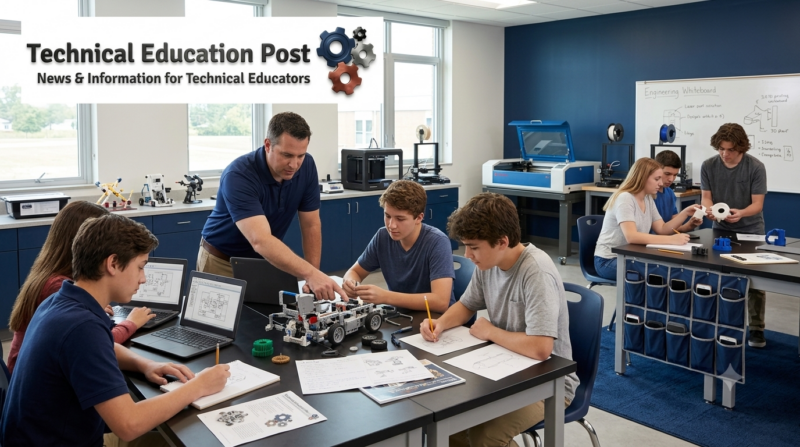
Schools are entering a second phase of the debate over student technology.
The first phase focused largely on access: putting devices into students’ hands, expanding broadband, adopting learning platforms and ensuring that digital materials could be reached from school and home. More recently, attention shifted toward personal smartphones and whether they should be restricted during the school day.
Now, districts and states are beginning to ask a broader question: Which forms of screen use actually improve learning, and which uses merely consume instructional time?
San Diego Unified School District is preparing to restrict YouTube, video streaming and noninstructional gaming on student Chromebooks while removing general-use computer carts from transitional kindergarten classrooms. Teachers will still be able to activate video access for specific lessons, and exceptions will remain for students who require technology under individualized education programs, Section 504 plans or language-access provisions. (San Diego Unified School District)
On August 5, Connecticut’s State Board of Education also adopted updated guidance encouraging bell-to-bell restrictions on personal devices while asking districts to examine the educational purpose, cost and cumulative duration of school-directed screen use. The guidance moves beyond phones by recommending that districts audit digital platforms and establish more deliberate expectations for classroom technology. (Connecticut State Board of Education)
Together, the developments suggest that school technology policy is moving beyond a binary debate over whether devices are good or bad.
The emerging question is whether each use is purposeful, age appropriate, accessible, supported by evidence and worth the instructional time it requires.
Key Takeaways
- San Diego Unified is limiting passive video streaming and noninstructional gaming while preserving teacher-directed and accessibility-related technology use.
- Connecticut’s new guidance combines bell-to-bell personal-device restrictions with recommendations for reviewing school-directed screen time.
- Internationally, restrictions on smartphones are spreading, but research also indicates that well-designed educational technology can improve learning.
- Districts should distinguish personal entertainment, passive instructional media, active digital learning, assistive technology and technical career tools.
- Blanket restrictions can create unintended consequences for CTE, STEM, accessibility and students who rely on school devices for digital access.
- Strong policies should govern instructional purpose, evidence, privacy, advertising, accessibility and teacher control—not simply count minutes.
What San Diego Unified Is Changing
San Diego Unified’s policy grew from a June 2026 Board of Education resolution calling for more learner-centered technology and less passive screen exposure.
The district’s initial implementation measures are expected to be in place before students return for the 2026–27 school year. They include:
- Restricting YouTube and other video-streaming access on student Chromebooks unless a teacher enables it for an instructional activity
- Blocking gaming that is not connected to instruction
- Removing general Chromebook carts from transitional kindergarten classrooms
- Preserving technology access when required by an IEP, Section 504 plan or identified linguistic need
- Developing additional grade-level guidance for device use
- Reviewing digital applications, artificial-intelligence functions, advertising and cumulative screen exposure
The district also plans to establish a committee involving educators, students, families, health professionals and community representatives. That group may recommend grade-specific technology timeframes, stronger application-review procedures and annual reporting on how digital platforms are used. (San Diego Unified School District)
The policy’s importance lies in its distinctions.
San Diego is not eliminating classroom technology. It is attempting to separate teacher-directed digital instruction from automated recommendations, entertainment, gaming and passive video consumption.
That is a materially different policy approach from simply removing every screen.
What Connecticut Added to the Debate
Connecticut’s updated guidance similarly places personal-device restrictions within a larger framework of “personal and purposeful technology use.”
The state recommends bell-to-bell restrictions for personal electronic devices, with exceptions for medical, disability, educational and emergency needs. At the same time, it asks districts to examine the screen exposure created by school-issued devices, instructional applications and digital curricula.
Recommended district actions include:
- Conducting an audit of educational technology use
- Reviewing the instructional benefits and financial costs of digital platforms
- Seeking feedback from students, educators and families
- Establishing age-appropriate limits and expectations
- Preserving accommodations and assistive technology
- Strengthening digital citizenship education
- Developing implementation plans with stakeholder participation
The state’s own survey of approximately 140 districts found that about two-thirds of respondents described their existing personal-device policies as very or somewhat effective. Because that figure reflects district self-reporting rather than an independent outcome evaluation, it should be treated as implementation feedback rather than proof that the policies improved learning. (Connecticut guidance on personal and purposeful technology use)
The inclusion of school-directed screen use is significant.
A district can prohibit smartphones while still requiring students to spend much of the day moving among Chromebooks, learning-management systems, digital worksheets, videos, assessment platforms and AI-enabled applications.
Connecticut’s guidance asks districts to consider the complete technology environment—not merely the device a student brings from home.
The Policy Debate Is Shifting From Access to Purpose
The expansion of one-to-one computing helped schools maintain instruction, improve access to resources and support students with disabilities. It also created a new set of questions about instructional quality, privacy, platform dependence and the amount of time students spend completing schoolwork through screens.
This does not mean that the earlier access effort was misguided.
As TechEd Magazine has discussed in Digitally Transforming Public Schools, technology can broaden access to instruction, collaboration and specialized learning opportunities. The federal National Educational Technology Plan similarly identifies the potential of technology to personalize instruction, support accessibility, enable simulation and connect learners—but warns that technology claims should be examined critically and that relationships with teachers remain central.
The policy challenge is therefore not whether schools should return to a pre-digital model.
It is whether districts can move from device distribution to instructional governance.
Access asks:
- Does every student have a usable device?
- Can students connect to digital resources?
- Are materials accessible?
Purposeful-use policy asks:
- What learning problem is the technology solving?
- Is the tool better than a nondigital alternative?
- Does it encourage creation, practice and feedback—or passive consumption?
- Is the application accessible, private and free from inappropriate advertising?
- How much time does it require when combined with every other digital activity?
- Can teachers override automated restrictions when instruction requires it?
- What evidence supports continued purchasing and use?
Both sets of questions matter.
Not All Screen Time Is Equivalent
One weakness in the screen-time debate is the tendency to place every digital activity into a single category.
Watching automatically recommended entertainment videos is not educationally equivalent to programming a robot, creating a CAD model, using augmentative communication technology or receiving immediate feedback through a well-designed mathematics application.
A more useful policy framework distinguishes among different purposes.
| Type of use | Examples | Appropriate policy response |
|---|---|---|
| Personal and social use | Messaging, social media, entertainment video and personal gaming | Restrict during instructional time, with defined emergency and accessibility exceptions |
| Passive instructional use | Long videos, digital worksheets and presentation-heavy lessons | Require clear instructional purpose and monitor cumulative duration |
| Active digital learning | Coding, research, writing, modeling, collaboration and formative feedback | Permit when aligned with learning objectives and supported by sound pedagogy |
| Technical and career use | CAD, CNC programming, PLC simulation, diagnostics, cybersecurity labs and digital fabrication | Preserve as essential technical instruction while managing distraction and safety |
| Assistive technology | Communication devices, screen readers, translation, note-taking and accessibility applications | Protect access under disability and civil-rights requirements |
| Administrative use | Testing, attendance, student information systems and compliance platforms | Evaluate instructional opportunity cost, usability, privacy and necessity |
The distinction is especially important for career and technical education.
A student operating a virtual welding simulator or programming an industrial controller may spend substantial time looking at a screen. Yet the screen is functioning as an interface to a technical system, not simply as a substitute for direct instruction.
Minutes alone cannot determine the educational quality of that experience.
What the Research Actually Shows
The research does not support the claim that every form of classroom technology improves learning. It also does not support the claim that every screen-based activity is harmful.
Digital Distraction Is Associated With Lower Performance
The Organisation for Economic Co-operation and Development reported that approximately 30% of students participating in PISA 2022 said they were distracted by their own digital devices in most or every mathematics lesson. About one-quarter reported being distracted by other students’ device use.
Students reporting frequent distraction scored approximately 15 points lower in mathematics after adjustments for student and school socioeconomic characteristics. Because PISA is observational, this relationship should not be interpreted automatically as proof that devices caused the lower scores. It nevertheless demonstrates how commonly digital distraction enters the classroom. (OECD PISA 2022 results)
The same OECD analysis complicates the picture. Moderate educational use of digital devices was associated with stronger performance than no use at all, while heavier or distracting use was linked with weaker outcomes. That pattern supports purposeful moderation rather than a universal prohibition.
Some Educational Technology Produces Measurable Benefits
A systematic review of technology-supported literacy and numeracy interventions in primary education examined 18 studies and 40 learning outcomes. It found a small positive overall effect, although results varied by intervention and research design.
The finding does not establish that any application will improve achievement. It indicates that educational technology can contribute to learning when the instructional design, teacher role and tool are appropriately aligned. (Systematic review in npj Science of Learning)
Evidence for Screen-Reduction Programs Is More Limited Than Headlines Suggest
A 2025 systematic review examined 39 school-based interventions involving more than 95,000 participants. The researchers found modest reductions in screen exposure and some improvement in physical activity, but rated much of the evidence as low certainty because of variation among programs and risks of bias.
That finding supports careful experimentation, but it does not justify claiming that any particular district restriction will automatically improve achievement or health. (PubMed systematic review)
Recreational Screen Research Should Not Be Misapplied to Instruction
A 2025 CDC study found associations between high levels of non-schoolwork screen use and several health or behavioral outcomes among adolescents. The study was cross-sectional and explicitly excluded screen use for schoolwork, meaning it cannot determine causation or directly answer whether a CAD lesson, online reading activity or classroom simulation is harmful. (CDC research on teen screen use)
That distinction matters.
Public-health research on recreational media provides important context, but classroom policy should not treat all instructional technology as interchangeable with social media or entertainment.
Research Snapshot
Current evidence supports reducing distraction and low-value digital exposure while preserving well-designed, active and accessible technology use. It does not support assuming that every additional minute of school technology has the same educational or health effect.
Why CTE and STEM Require More Nuanced Rules
CTE and STEM classrooms often use technology as part of the subject itself.
Examples include:
- Computer-aided design
- Computer-aided manufacturing
- CNC programming
- Programmable logic controllers
- Robotics
- Industrial automation
- Additive manufacturing
- Aviation and healthcare simulations
- Automotive diagnostic systems
- Geographic information systems
- Cybersecurity laboratories
- Digital electronics
- Video production
- Artificial-intelligence development
- Building-information modeling
Removing or severely limiting these tools could make technical instruction less aligned with contemporary workplaces.
TechEd Magazine’s coverage of Hidden Skilled-Trades Education illustrates how modern skilled work increasingly combines physical systems with digital controls, diagnostics and data. Similarly, the Future of STEM Education depends on students learning to use technology as a tool for investigation, engineering and creation—not merely consuming content.
A productive policy should therefore evaluate what students are doing with the device.
Consider the difference:
- Watching an unrelated video during class is distraction.
- Watching a short teacher-selected demonstration before operating equipment is instruction.
- Repeatedly completing low-level digital worksheets may be passive substitution.
- Designing a robotic work cell is active technical learning.
- Using generative AI to avoid thinking is academically problematic.
- Evaluating AI output for accuracy, bias and technical feasibility can be a rigorous learning activity.
The same device can support either weak or strong instruction.
AI Makes Technology Governance More Urgent
Artificial intelligence adds another layer to school technology policy.
Many applications now include AI-powered search, writing, summarization, tutoring, recommendations and data analysis. Some capabilities may appear through updates without a district making a new purchase.
San Diego’s planned review of artificial-intelligence functions is therefore notable. Districts need to understand not only which applications they have purchased, but what those applications can currently do, what student data they process and whether teachers understand the limitations.
TechEd Magazine’s resources on Using AI in Schools, AI Tools and Training in the Classroom and Google’s AI Education Platform have emphasized that successful adoption requires governance, educator preparation and instructional purpose.
Screen-time policy and AI policy can no longer be treated as unrelated subjects.
A district may reduce social-media access while simultaneously increasing student exposure to AI-generated content, automated feedback and algorithmic recommendations through school platforms.
Both deserve oversight.
Accessibility Must Remain a Nonnegotiable Exception
Broad restrictions can unintentionally interfere with students who rely on technology to participate in instruction.
Assistive technology may include:
- Augmentative and alternative communication
- Screen readers
- Speech-to-text tools
- Digital magnification
- Captioning
- Translation
- Organizational supports
- Accessible textbooks
- Alternative keyboards or switches
- Note-taking applications
Federal IDEA guidance emphasizes that assistive-technology needs must be considered for students with disabilities and that required devices and services are part of providing appropriate access to education. (U.S. Department of Education IDEA assistive-technology guidance)
San Diego and Connecticut both acknowledge exceptions involving disability, medical and educational needs. The implementation details will matter.
Students should not be required to publicly justify an accommodation each time a general restriction is enforced. Policies should be designed so that authorized access works consistently and discreetly.
The Global Trend Is Moving Toward Restrictions
Smartphone restrictions are spreading internationally.
UNESCO reported that by March 2026, 114 education systems—approximately 58% of countries—had introduced laws or policies restricting smartphone use in schools. That represented a sharp increase from 24% of countries in June 2023. (UNESCO Global Education Monitoring Report)
The rapid policy growth reflects genuine concerns involving distraction, cyberbullying, mental health, privacy and classroom management.
However, UNESCO has also warned against treating technology itself as a substitute for qualified teachers or adopting digital products without considering evidence, equity and context.
The next phase of policy will likely be more difficult than adopting a phone ban.
Districts must decide:
- Which school-issued applications are educationally necessary
- How much passive digital instruction is acceptable
- What evidence vendors should provide
- How teacher discretion will work
- Whether students can access equivalent nondigital alternatives
- How policies affect homework and home internet expectations
- How technical programs will be protected
- How compliance and outcomes will be measured
Practical Takeaways for District Leaders
Audit the Complete Digital Environment
An audit should identify:
- Every student-facing application
- Grade levels using each platform
- Frequency and duration of use
- Instructional purpose
- Annual cost
- Student data collected
- Advertising or commercial content
- Accessibility compliance
- AI-enabled functions
- Evidence of effectiveness
- Available nondigital alternatives
Districts frequently know how much they spend on devices but have less visibility into the cumulative instructional time required by dozens of applications.
Separate Personal Devices From Instructional Tools
Policies should define categories clearly.
A personal smartphone, district Chromebook, medical device, communication aid and industrial computer should not be governed by identical rules.
Preserve Teacher-Directed Exceptions
Teachers need a practical method for enabling legitimate instructional content without filing repeated technical-support requests.
San Diego’s plan to permit teachers to activate streaming for a lesson offers one possible model. The system’s success will depend on whether the process is fast, reliable and understandable.
Evaluate Opportunity Cost
Every digital activity uses time that could otherwise support:
- Discussion
- Reading
- Writing by hand
- Laboratory work
- Equipment operation
- Physical movement
- Teacher feedback
- Collaborative problem-solving
- Workplace interaction
The relevant question is not simply whether an application has educational content. It is whether that application is the best use of the available instructional time.
Report Outcomes Publicly
Districts should monitor:
- Disciplinary incidents
- Classroom interruptions
- Student and teacher perceptions
- Application usage
- Academic outcomes
- Attendance
- Accessibility issues
- Workarounds and enforcement burdens
- Changes in instructional practice
- Differences among schools and student groups
Policy effectiveness should not be measured only by whether fewer devices are visible.
Practical Takeaways for CTE and STEM Leaders
Inventory Technology That Is Part of the Curriculum
CTE departments should identify tools that could be unintentionally affected by broad filtering or time restrictions.
Examples include:
- Manufacturer training videos
- Cloud-based CAD
- Virtual laboratories
- Coding environments
- Equipment documentation
- Simulation software
- Certification platforms
- Industry learning-management systems
- Augmented-reality maintenance tools
- Remote-access laboratory systems
Provide district technology leaders with a documented instructional rationale for each essential tool.
Distinguish Production From Consumption
Policies can prioritize digital creation and technical operation over passive use.
A useful classroom question is:
Are students using technology to produce, analyze, design, diagnose, program or communicate—or simply to watch and click?
Build Offline and Hands-On Components
Even strong digital lessons can be improved by connecting them to:
- Physical equipment
- Measurement
- Sketching
- Prototyping
- Team discussion
- Troubleshooting
- Workplace demonstrations
- Written reflection
- Safety procedures
Balanced instruction should not mean avoiding technology. It should mean connecting digital work to human judgment and physical application.
Document Accessibility and Industry Requirements
When requesting an exception, explain whether the technology is:
- Required for a student accommodation
- Used in an industry certification
- Necessary to operate equipment
- Standard within the occupation
- Connected to a dual-enrollment partner
- Required by an employer or advisory board
That documentation will help district leaders distinguish essential technical use from general screen exposure.
Questions to Ask Your Program
- What percentage of student device time is active rather than passive?
- Which digital activities could be completed more effectively without a screen?
- Which technologies are essential to current industry practice?
- Do teachers know how much cumulative screen exposure students experience across the school day?
- Can teachers override content restrictions quickly for legitimate instruction?
- Are applications free from distracting advertising and algorithmic recommendations?
- What student data does each platform collect?
- Have AI functions been reviewed since the application was purchased?
- Are students with disabilities able to access required assistive technology without interruption?
- Does every digital tool have a defined instructional purpose?
- What evidence would justify renewing or eliminating an application?
- Are students learning digital literacy, or are they merely being assigned digital work?
What Educators Should Watch Next
Whether Policies Expand Beyond Phones
Connecticut and San Diego may be early examples of a broader shift from personal-device restrictions to complete school-technology governance.
Other states and districts may begin auditing Chromebooks, learning platforms, video services, AI applications and digital curricula.
Whether Districts Publish Usage Data
Policies will be more credible when districts disclose which applications students use, how frequently they use them and what outcomes are associated with that use.
Without those data, “purposeful technology” risks becoming an appealing phrase without measurable implementation.
How Teachers Respond
Teachers may welcome fewer distractions but resist policies that make legitimate instructional resources difficult to access.
Implementation should be evaluated partly through teacher workload, technical reliability and the extent to which educators retain professional judgment.
Whether Equity Gaps Reappear
Reducing school-issued technology may affect students differently.
Students with reliable home devices and broadband can continue digital learning outside school. Students without those resources may depend on school access.
Districts should examine whether restrictions unintentionally widen disparities in research, software access, digital portfolios, certification preparation or postsecondary applications.
Whether Vendors Are Asked for Better Evidence
As districts conduct technology audits, vendors may face greater expectations to demonstrate:
- Measurable learning value
- Accessible design
- Privacy protections
- Limited advertising
- Transparent AI functions
- Interoperability
- Reasonable teacher workload
- Benefits that justify cost and instructional time
That could improve the educational-technology market by rewarding products that solve verified instructional problems rather than simply increasing engagement metrics.
Frequently Asked Questions
Are San Diego Unified schools banning Chromebooks?
No. The district is restricting particular forms of use, including general video streaming and noninstructional gaming, while continuing teacher-directed, accessibility-related and educational technology use.
Is Connecticut banning all classroom screens?
No. Connecticut’s guidance recommends restrictions on personal electronic devices and asks districts to examine whether school-directed screen use is purposeful, age appropriate and educationally justified.
Does research prove that classroom screens harm learning?
No single conclusion applies to every use. Research links digital distraction and heavy recreational use with concerning outcomes, while some structured educational-technology interventions produce learning benefits. The type, context, purpose and quality of use matter.
Are cellphone bans effective?
Policies can reduce visible distractions, but effectiveness depends on enforcement, stakeholder support, exceptions and whether students shift to other forms of digital distraction. Research and implementation results remain mixed.
Should CTE laboratories be exempt from screen limits?
CTE laboratories should not automatically be exempt from thoughtful technology governance, but policies should recognize that digital interfaces, simulations, programming and diagnostic systems may be essential components of occupational instruction.
How should districts handle assistive technology?
Required assistive technology should remain available. Policies should include clear, discreet and reliable exceptions for students whose access is protected through an IEP, Section 504 plan or other legal requirement.
Is watching an instructional video considered passive screen time?
It can be passive, but that does not make it inherently inappropriate. A short, teacher-selected demonstration integrated with discussion or hands-on work may be effective. Continuous video use without interaction, analysis or application deserves greater scrutiny.
What is the best measure of purposeful technology use?
No single metric is sufficient. Districts should consider learning outcomes, instructional purpose, student activity, teacher judgment, accessibility, privacy, cost, cumulative duration and whether a stronger nondigital alternative exists.
TechEd Magazine Perspective
The debate over school technology is finally becoming more precise.
For years, discussions often fell into opposing positions: technology represented innovation, or screens represented harm. Neither position adequately reflects modern education.
Students need digital literacy. They also need sustained attention, human relationships, physical activity, discussion, reading, writing, technical practice and hands-on experience.
CTE and STEM programs make the limitations of a simple screen-time rule particularly clear. A screen can deliver entertainment, but it can also control machinery, display diagnostic information, model an engineering system or allow a student with a disability to communicate.
The appropriate policy question is not, “How do we eliminate screens?”
It is:
Which uses deserve instructional time, and what evidence supports that decision?
San Diego Unified and Connecticut are beginning to build policies around that more difficult question. Their success will depend less on the language of the policies than on implementation: whether teachers retain useful discretion, accessibility is protected, low-value applications are actually removed, data are published and students spend more time engaged in meaningful learning.
The next generation of school technology policy should not be anti-digital.
It should be pro-purpose.
Sources and Further Reading
- San Diego Unified School District — Learner-Centered Technology
Official information about the district’s technology resolution, initial restrictions, committee process and future review. - Connecticut State Board of Education — 2026 Board and Committee Meetings
Official board materials and meeting information for the August 5 action. - Connecticut — Personal and Purposeful Technology Use in Connecticut Schools
Updated state guidance addressing personal devices, school-directed screen time, accessibility, district audits and stakeholder participation. - U.S. Department of Education — 2024 National Educational Technology Plan
Federal framework covering digital access, instructional design, accessibility and responsible technology use. - OECD — PISA 2022 Results: Digital Distraction and Learning
International evidence on digital-device use, classroom distraction and mathematics performance. - UNESCO — Phone Bans in Schools Are Spreading Worldwide
Global policy overview documenting the growth of smartphone restrictions through March 2026. - CDC — Associations Between Screen Time and Health Behaviors Among U.S. Teenagers
Observational research concerning non-schoolwork screen use, with important methodological limitations. - Systematic Review — Technology-Supported Literacy and Numeracy Interventions
Peer-reviewed review examining learning outcomes from primary-school educational-technology interventions. - Systematic Review — School-Based Screen-Time Reduction Interventions
Review of school interventions, screen exposure and physical activity, including evidence-quality limitations. - U.S. Department of Education — IDEA Assistive-Technology Guidance
Federal guidance on considering and providing assistive technology for students with disabilities. - HHS — Surgeon General’s Advisory on Screen Use
Federal public-health guidance concerning children’s recreational and noninstructional screen exposure.