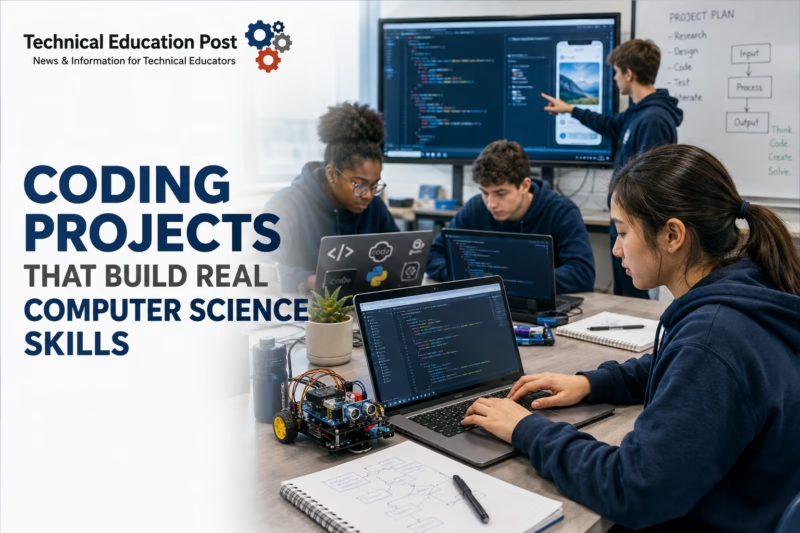
Coding projects are structured learning experiences in which students design, build, test, explain, and refine a computational solution. The finished artifact might be an application, website, data analysis, automated process, simulation, game, robotics system, cybersecurity tool, or physical-computing prototype.
But the artifact is not the primary educational outcome.
A strong project helps students learn how to define a problem, decompose it into manageable parts, represent data, design algorithms, select tools, test assumptions, debug systematically, consider users, protect information, document decisions, and evaluate the consequences of a computing system.
That distinction has become more important with the publication of the 2026 CSTA PK–12 Computer Science Standards. CSTA explicitly states that computer science is not limited to programming and is not being replaced by artificial intelligence. The standards organize learning around algorithms and design, programming, data and analysis, systems and security, and computing and society. They also emphasize ethics, inclusive collaboration, computational thinking, and human-centered design.
At the same time, access remains incomplete. The Institute of Education Sciences reported that only 19% of high school seniors graduating in 2024 had taken at least one computer science course. The same federal analysis reported that 12 states had implemented computer science graduation requirements.
Workforce demand also remains substantial. The Bureau of Labor Statistics projects employment for software developers, quality-assurance analysts, and testers to grow 15% between 2024 and 2034, with approximately 129,200 openings per year. The demand is connected partly to continued development in artificial intelligence, cybersecurity, robotics, automation, connected devices, and software-enabled products.
For educators, the central question is therefore not:
Did students finish the coding project?
It is:
What evidence shows that students understand the computing concepts, development processes, risks, and human needs behind what they created?
Key Takeaways
- Coding is essential to computer science, but coding alone is not a complete computer science education.
- Strong projects begin with learning goals and evidence requirements—not a preferred platform, language, or hardware kit.
- Students should plan, test, debug, document, revise, and defend their work.
- Functional code is not sufficient evidence of algorithmic understanding, individual authorship, security, accessibility, or ethical judgment.
- AI-assisted coding requires clear disclosure, verification, and assessment policies.
- Secure development and accessibility should be built into projects rather than added after the product is finished.
- Access to a course does not guarantee equitable participation, meaningful technical roles, or successful pathway completion.
- Sustainable programs invest in teacher knowledge, curriculum, technical support, infrastructure, and replacement planning—not hardware alone.
Coding Is Not the Same as Computer Science
Programming is the process of expressing instructions in a form a computer can execute. Computer science is broader.
The 2026 CSTA standards identify five foundational concepts:
- Algorithms and Design
- Programming
- Data and Analysis
- Systems and Security
- Computing and Society
They pair those concepts with four categories of practice:
- Ethics and Social Responsibility
- Inclusive Collaboration
- Computational Thinking
- Human-Centered Design
Artificial intelligence is integrated throughout the concepts instead of being isolated as a separate strand. High school specialty pathways include artificial intelligence, cybersecurity, data science, game development, physical computing, and software development. The standards also include an “X+CS” structure for connecting computer science with fields such as biology, journalism, mathematics, science, health, and the arts. (2026 CSTA Standards)
A project that asks students to copy a tutorial and change the background color may involve coding, but it provides weak evidence of computer science learning.
A project becomes more substantial when students must:
- Analyze a user or system need
- Define success criteria
- Design an algorithm
- Decide how information will be represented
- Test expected and unexpected inputs
- Diagnose failures
- Examine privacy or security risks
- Consider affected users
- Document revisions
- Explain what the program can and cannot do
Exercise, Tutorial, Project, or Capstone?
Not every coding assignment needs to be a major project. Short exercises and guided tutorials remain useful when their purpose is clear.
| Learning Experience | Primary Purpose | Student Decision-Making | Typical Evidence | Main Risk |
|---|---|---|---|---|
| Coding exercise | Practice one concept or skill | Low | Working function, trace or short explanation | Becomes disconnected syntax practice |
| Guided tutorial | Introduce a tool or development process | Low to moderate | Completed steps and modified example | Students may copy without understanding |
| Bounded coding project | Apply several concepts within defined constraints | Moderate | Plan, code, tests, documentation and reflection | Excessive scaffolding can reduce reasoning |
| Open-ended coding project | Solve a problem with meaningful student choice | High | Design decisions, iterations, code and defense | Novices may be overwhelmed |
| Client or community project | Meet the needs of an external user | High | Requirements, prototype, user feedback and revision | Client demands may displace learning goals |
| Capstone | Demonstrate pathway-level competence | Very high | Portfolio, technical product, presentation and defense | Scope may exceed available time or support |
The objective is not to make every assignment open-ended.
Novices generally need constrained problems, examples, partial solutions, checkpoints, and direct instruction. Independence should increase as students develop technical and project-management capacity.
What the Research Says About Project-Based Computing
Project-based learning is widely used in computing education because software development is inherently applied, iterative, and collaborative. A 2025 systematic review in ACM Transactions on Computing Education examined 184 primary studies and identified how computing projects were organized, assessed, supported, and connected with learning outcomes. The review focused mainly on higher education, so its conclusions should not be transferred uncritically to elementary or secondary classrooms. It nevertheless documented recurring benefits and recurring implementation problems, including project scoping, assessment, student support, team organization, and alignment with course objectives. (Systematic Literature Review on Project-Based Learning in Computing Education)
A separate systematic review of 86 K–12 programming studies found that programming ability includes more than operational coding skill. The authors described cognitive, metacognitive, operational, and communication dimensions, reinforcing the need to assess planning, explanation, problem-solving, and reflection alongside program execution. (Developing K–12 Students’ Programming Ability)
The research base does not support the claim that assigning any project automatically produces deeper learning.
Project quality depends on:
- The clarity of the learning target
- The suitability of the scope
- Prior instruction
- Scaffolding
- Feedback
- Opportunities for revision
- Teacher expertise
- Individual accountability
- Assessment quality
- Access to functioning technology
- The relationship between the project and the broader curriculum
Research Snapshot: Pair Programming
Pair programming is often recommended as a way to support collaboration and reduce isolation. It usually assigns one student as the “driver,” who enters code, and another as the “navigator,” who reviews and discusses the work.
The evidence is mixed.
A cluster-randomized study involving 1,198 undergraduates in 96 laboratory sections found no significant overall effect on performance, interest, confidence, comfort, or anxiety. That study does not prove pair programming is ineffective in every setting; it shows that pairing students is not, by itself, an instructional intervention guaranteed to improve outcomes. (The Impact of Pair Programming)
Successful classroom use requires:
- Regular role changes
- Explicit collaboration protocols
- Individual checks for understanding
- Compatible but not necessarily identical skill levels
- Teacher monitoring
- Tasks that require discussion
- A method for addressing unequal participation
Start With the Learning Target, Not the Tool
Schools often begin with a product decision:
- We bought robotics kits.
- We want students to use Python.
- We subscribed to a development platform.
- We need an AI project.
- We want to use microcontrollers.
- We want students to build an app.
Those may be reasonable implementation choices, but they are not learning goals.
Begin by identifying what students should understand and demonstrate.
Possible targets include:
- Design and compare algorithms
- Use variables and data structures
- Decompose a complex problem
- Develop an event-driven program
- Collect and analyze data
- Build and query a database
- Explain network communication
- Validate user input
- Test a software component
- Apply secure-development practices
- Create an accessible interface
- Evaluate an automated system’s social effects
- Program a sensor-and-actuator system
- Use version control
- Communicate technical decisions
Only then should educators choose the language, platform, dataset, hardware, or development environment.
The Coding Project Evidence Cycle
A rigorous project can be organized around nine stages:
Learning Target → Problem → Requirements → Design → Prototype → Test → Review → Revise → Defend
1. Learning Target
Identify the standards, concepts, and practices students will demonstrate.
2. Problem
Define the need, question, process, user, or system the code will address.
3. Requirements
Establish:
- Intended users
- Inputs
- Outputs
- Required functions
- Constraints
- Security expectations
- Accessibility expectations
- Device or platform requirements
- Success criteria
4. Design
Require evidence such as:
- Decomposition
- Flowchart
- Pseudocode
- User story
- Wireframe
- Data model
- State diagram
- Test plan
- Threat model
5. Prototype
Students create a limited version that demonstrates the most important function.
6. Test
Students test:
- Normal inputs
- Invalid inputs
- Boundary conditions
- Usability
- Accessibility
- Security assumptions
- Hardware behavior where relevant
- Performance where relevant
7. Review
Students receive feedback from:
- The teacher
- Peers
- Users
- Industry or community partners
- Automated testing tools
- Accessibility checks
- Security analysis
8. Revise
Students use evidence to correct defects, improve usability, strengthen security, refine algorithms, or reduce unnecessary complexity.
9. Defend
Students explain:
- How the system works
- Why they selected the approach
- What they personally contributed
- How testing changed the product
- What risks remain
- What they would improve next
Recommended Process Diagram
Place an infographic titled “The Coding Project Evidence Cycle” immediately after this section.
Design Authentic but Manageable Projects
Authenticity does not require a commercial product, external client, or semester-long assignment.
A project is authentic when students engage in credible computing practices and make meaningful decisions.
A manageable project has:
- A clear purpose
- Defined boundaries
- A realistic timeline
- Required features
- Optional extensions
- Approved tools
- Sample data or hardware
- Checkpoints
- Testing expectations
- Documentation requirements
- A clear scoring guide
Use Bounded Choice
“Create anything you want” may seem empowering, but it often benefits students who already possess experience, equipment, confidence, and support.
Bounded choice provides a common technical structure while allowing meaningful variation.
Examples:
- Every student builds a data dashboard, but selects the dataset and audience.
- Every team programs an environmental sensor, but chooses the measured condition and alert method.
- Every student creates an accessible information site, but selects the community organization.
- Every team develops a sorting or scheduling system, but defines the user and operational constraints.
Bounded choice preserves comparability while supporting relevance and student agency.
Make Requirements Testable
Weak requirement:
The application should be easy to use.
Stronger requirement:
A first-time user should be able to complete the primary task using only the instructions presented in the interface.
Weak requirement:
The robot should move accurately.
Stronger requirement:
The robot must stop within five centimeters of the target in four of five trials.
Weak requirement:
The website should be accessible.
Stronger requirement:
The website must support keyboard navigation, visible focus, text alternatives for meaningful images, sufficient contrast, and labeled form controls.
Testable requirements make projects more authentic and easier to assess.
Coding Projects by Grade Band
Elementary School: Sequences, Patterns, Events, and Debugging
Elementary projects should emphasize:
- Sequencing
- Cause and effect
- Patterns
- Events
- Repetition
- Conditional reasoning
- Representation
- Debugging
- Explanation
Appropriate projects include:
- Program an interactive story that explains a science concept.
- Create a digital model of the water cycle.
- Design a maze using directional commands.
- Program a character to respond to events.
- Build a simple classroom indicator using a microcontroller.
- Create an animation that represents a mathematical pattern.
- Program a physical or virtual robot to follow a route.
Assessment should focus on student reasoning:
- What did you want the program to do?
- Which instructions control the behavior?
- Where did it fail?
- How did you find the problem?
- What did you change?
- How could another user understand the program?
Block-based programming can reduce syntax barriers, but blocks do not eliminate the need to teach algorithms, data, design, testing, and explanation.
Middle School: Data, Systems, Users, and Physical Computing
Middle school students can work with:
- Variables
- Conditionals
- Loops
- Functions
- Input and output
- Data
- Sensors
- User interfaces
- Introductory networks
- Accessibility
- Security concepts
Possible projects include:
- Unit-conversion calculator
- School-event information application
- Interactive science simulation
- Cafeteria survey analysis
- Environmental data visualization
- Temperature or soil-moisture logger
- Step counter
- Accessible website for a student organization
- Robotics navigation challenge
- Public-service announcement game
- Password-strength explainer
This is an appropriate stage to introduce:
- Pair programming
- Design journals
- Simplified version histories
- Test cases
- User feedback
- Code commenting
- Digital citizenship
- Data privacy
- Human-centered design
High School: Pathway-Aligned Development
High school projects should reflect increasing specialization and professional practice.
Possible projects include:
- Community-service web application
- Database-backed inventory system
- Public-data analysis
- Cybersecurity log-analysis tool
- Robotics control system
- Manufacturing-data dashboard
- Network-monitoring script
- Transportation simulation
- Machine-learning model evaluation
- Accessible mobile prototype
- Energy-use optimization tool
- Business-process automation
- Agriculture sensor system
- Environmental risk map
Students should be expected to:
- Justify the chosen technology
- Use modular design
- Test systematically
- Manage data responsibly
- Consider cybersecurity
- Address accessibility
- Document dependencies
- Use version control where appropriate
- Present evidence
- Defend individual decisions
The 2026 CSTA standards support high school specialization in artificial intelligence, cybersecurity, data science, game development, physical computing, and software development. They also encourage interdisciplinary computing across other subject areas.
Postsecondary and Adult CTE: Workplace-Connected Production
Advanced projects may include:
- Full-stack application
- REST API
- Automated system-administration script
- Secure-development exercise
- Manufacturing sensor-data analysis
- Business-intelligence dashboard
- Database migration
- Cloud-deployment plan
- Industrial automation interface
- Client-based capstone
- Open-source contribution
- Software test suite
- Digital-twin or simulation component
At this level, students should encounter:
- Git workflows
- Issue tracking
- Code review
- Dependency management
- Testing frameworks
- Technical documentation
- Accessibility review
- Secure coding
- Deployment
- Maintenance
- Professional communication
High-Value Project Models
Model 1: Community Problem Application
Students identify a defined school or community need and build an application or prototype.
Possible needs include:
- Tutoring registration
- Club-event calendar
- Equipment checkout
- Lost-and-found tracking
- Volunteer coordination
- Recycling reminders
- Resource directory
- Bus information
Computer science evidence:
- User requirements
- Data representation
- Conditional logic
- Interface design
- Testing
- Accessibility
- Feedback and revision
Best use: Middle school, high school, introductory programming, web development, AP Computer Science Principles.
Model 2: Public-Data Investigation
Students use a public dataset to answer a question.
Possible sources include:
Students may investigate:
- Local weather patterns
- Broadband access
- Transportation
- Energy use
- Population change
- Public health
- Environmental conditions
Computer science evidence:
- Data cleaning
- Data structures
- Code or queries
- Visualization
- Statistical interpretation
- Source evaluation
- Communication of limitations
Best use: High school, data science, statistics, environmental science, business, health science, agriculture, CTE information technology.
Model 3: Physical-Computing Prototype
Students connect code to sensors, actuators, or control systems.
Examples include:
- Soil-moisture monitor
- Temperature-controlled fan
- Classroom air-quality indicator
- Adaptive switch
- Wearable safety light
- Smart-storage alert
- Robotics navigation system
- Energy-use monitor
Computer science evidence:
- Input and output
- Variables and thresholds
- Control logic
- Testing
- Hardware-software integration
- Fault diagnosis
- Engineering iteration
Best use: Middle school STEM, electronics, engineering, agriculture, robotics, advanced manufacturing.
Model 4: Cybersecurity Automation
Students create a defensive tool inside a controlled instructional environment.
Examples include:
- Password-strength evaluator
- File-integrity monitor
- Log analyzer
- Network inventory script
- Configuration checker
- Simulated phishing classifier
- Input-validation demonstration
Computer science evidence:
- Pattern matching
- Scripting
- Data processing
- Secure coding
- Systems thinking
- Documentation
- Ethical boundaries
Best use: High school and postsecondary cybersecurity, networking, IT support, computer science.
Projects should be limited to authorized systems and controlled datasets. Students should never be instructed to access, probe, or interfere with systems for which the school lacks explicit authorization.
Model 5: Industrial Data Project
Students analyze data from a manufacturing, robotics, energy, or automation process.
Possible questions include:
- Which condition predicts downtime?
- How does sensor drift affect quality?
- Which process setting reduces variation?
- How does cycle time change under load?
- Which maintenance action should be prioritized?
Computer science evidence:
- Data ingestion
- Cleaning
- Visualization
- Automation
- Anomaly detection
- Model evaluation
- Technical communication
Best use: Advanced manufacturing, mechatronics, engineering technology, data science, industrial maintenance.
Choosing a Language or Platform
There is no single best language for student projects.
| Tool or Language | Strong Use Cases | Educational Strengths | Implementation Concerns |
| Scratch | Elementary and introductory creative coding | Reduces syntax barriers and supports rapid experimentation | Projects can remain superficial without design and explanation |
| MakeCode and micro | Physical computing and middle-grade STEM | Immediate feedback and block-to-text progression | Hardware inventory, battery management and device access |
| Python | Data, automation, AI, cybersecurity and general programming | Readable syntax and broad application | Package installation, environments and device configuration |
| HTML, CSS and JavaScript | Websites and browser-based applications | Immediate visible output and strong pathway relevance | Visual design may overshadow logic, accessibility or security |
| Java | Object-oriented programming and AP Computer Science A | Strong disciplinary and postsecondary alignment | Higher syntax burden for beginners |
| Arduino and C++ | Electronics, embedded systems and robotics | Connects code to physical behavior | Hardware failures can obscure programming objectives |
| Raspberry Pi and Linux tools | Networking, automation, IoT and systems | Authentic operating-system environment | Imaging, security, storage and maintenance requirements |
| SQL | Databases, analytics, business and IT | Direct connection to workplace data tasks | Requires meaningful database design and datasets |
| C# and game engines | Games, simulation, visualization and immersive media | Supports complex interactive systems | Asset creation and engine complexity can consume project time |
| Shell scripting | IT, cybersecurity and systems administration | Authentic automation and workflow skills | Requires controlled permissions and careful security boundaries |
Selection criteria should include:
- Learning goals
- Student experience
- Device environment
- Accessibility
- Privacy
- Network requirements
- Teacher knowledge
- Technical support
- Pathway relevance
- Long-term sustainability
Artificial Intelligence Has Changed Coding Projects
Generative AI can now:
- Suggest code
- Explain errors
- Generate functions
- Write tests
- Refactor code
- Draft documentation
- Translate between languages
- Identify likely defects
- Propose algorithms
That makes a traditional “submit a working program” assessment increasingly weak.
The instructional response should not be an unrealistic assumption that students will never use AI. Nor should schools allow AI to complete the intellectual work that students are supposed to learn.
What Emerging Research Shows
A May 2026 meta-analysis of 23 studies reported a moderate average productivity benefit from generative-AI coding assistance, with substantial differences across settings. It did not find a statistically significant improvement in programming-learning outcomes. The study was published as a preprint and had not yet completed peer review, so its findings should be treated as preliminary rather than definitive. (A Meta-Analysis of Generative AI in Programming)
The emerging pattern is plausible but not yet settled:
AI may help students produce code faster without necessarily helping them understand programming better.
That difference should shape project design.
Create an AI-Use Policy Before the Project
Define permitted uses.
Possible permitted uses include:
- Explaining an error message
- Providing a syntax example
- Suggesting test cases
- Comparing algorithms
- Generating debugging questions
- Reviewing student-written documentation
- Identifying accessibility issues
- Producing sample data
Possible restricted uses include:
- Generating the entire solution
- Producing required planning artifacts
- Replacing the student’s original analysis
- Writing reflection or defense responses
- Submitting code the student cannot explain
- Uploading protected data
- Using an unapproved platform
Require an AI Contribution Record
Students should document:
- Tool used
- Date
- Purpose
- Prompt or request
- Output received
- Output accepted
- Output rejected
- Errors discovered
- Verification performed
- Final student revision
Assess Code Comprehension
Students should be able to:
- Trace the program
- Explain each major component
- Predict output
- Modify a requirement
- Identify a defect
- Write or interpret a test
- Explain security implications
- Defend the selected algorithm
- Recreate a critical section without AI assistance
A student who cannot explain submitted code has not demonstrated the intended competence.
Secure Coding Must Be Part of the Curriculum
Security should not be reserved for advanced cybersecurity courses.
Even introductory projects can address:
- Input validation
- Error handling
- Authentication concepts
- Password protection
- Secret and credential management
- Data minimization
- Dependency risks
- Access permissions
- Logging
- Safe default settings
- Software updates
The NIST Secure Software Development Framework recommends integrating secure-development practices throughout the software lifecycle rather than treating security as a final inspection. The final current version is SSDF 1.1; NIST released version 1.2 as an initial public draft in December 2025.
For classroom use, NIST’s high-level practices can be translated into four habits:
- Prepare: Define requirements, roles, tools, and risks.
- Protect: Safeguard code, credentials, accounts, and data.
- Produce: Design, implement, test, and document secure software.
- Respond: Record, correct, and learn from vulnerabilities and defects.
Students do not need to implement enterprise security controls in every project. They should learn that working software and trustworthy software are not the same thing.
Accessibility Is a Development Requirement
Students building websites, applications, games, dashboards, or interfaces should consider users with disabilities.
The Web Content Accessibility Guidelines 2.2 provide the current W3C standard for accessible web content and applications. WCAG addresses needs involving visual, auditory, physical, speech, cognitive, language, learning, and neurological disabilities.
Age-appropriate coding-project criteria may include:
- Keyboard navigation
- Visible focus
- Text alternatives
- Labeled controls
- Sufficient contrast
- Captions
- Resizable text
- Clear error messages
- Adequate target sizes
- No color-only instructions
- Accessible authentication
- Logical heading structure
Accessibility should be tested during development, not mentioned only in the final reflection.
For instructional accessibility, educators can also use the CAST Universal Design for Learning Guidelines 3.0 to provide multiple ways for students to access information, engage in learning, use tools, and communicate understanding.
Protect Student Privacy
Coding platforms may collect:
- Names
- Email addresses
- Account identifiers
- Code
- Chat messages
- Usage data
- IP addresses
- Uploaded files
- Voice or video
- AI prompts
- Location or device data
The U.S. Department of Education advises teachers to check whether an online service has been approved by the school or district and to consult technology staff before using applications that collect student information or create security risks.
Before implementation, determine:
- Is an account required?
- What personally identifiable information is collected?
- Who controls the data?
- Are data used to train AI models?
- How long are records retained?
- Can accounts and data be deleted?
- Is advertising present?
- Can students use pseudonymous accounts?
- Does the service permit students of the intended age?
- Can students export their work?
- Has the district approved the platform?
The Department’s Privacy and Education Technology resource center provides guidance and a model terms-of-service checklist for evaluating online tools.
Assessment Must Separate Product From Process
A polished application may hide:
- Copied code
- AI-generated code
- Unequal team contributions
- Weak algorithmic reasoning
- Poor testing
- Security problems
- Inaccessible design
- Minimal understanding
A partially functioning program may contain strong evidence of decomposition, testing, debugging, and conceptual growth.
Assess both.
Recommended Rubric Dimensions
1. Problem Definition
- Is the need clear?
- Are the users identified?
- Are criteria and constraints defined?
2. Algorithm and Design
- Is the problem decomposed?
- Is the selected approach appropriate?
- Are data and processes represented clearly?
3. Program Functionality
- Does the program meet the defined requirements?
- Does it handle expected inputs?
4. Testing and Debugging
- Are test cases documented?
- Are boundary and invalid inputs included?
- Does the student explain identified defects?
5. Code Quality
- Is the code organized?
- Are names meaningful?
- Is unnecessary duplication reduced?
- Can another developer understand it?
6. Systems, Security, and Privacy
- Are inputs validated?
- Is sensitive information protected?
- Are permissions and dependencies appropriate?
7. Accessibility and User Experience
- Can intended users operate the system?
- Have accessibility requirements been tested?
8. Documentation
- Are requirements, setup, use, testing, and limitations explained?
9. Collaboration
- Did the student contribute responsibly and communicate effectively?
10. Technical Defense
- Can the student explain the algorithm, code, tests, revisions, and limitations?
Not every project requires all ten dimensions. Select the criteria aligned with the intended learning.
Use Checkpoints
A longer project may include:
- Proposal
- Requirements
- Design artifact
- Initial prototype
- Test plan
- Code or design review
- Revised version
- Final demonstration
- Individual defense
- Reflection
Checkpoints improve feedback and provide a record of student thinking.
Do Not Rely Exclusively on Automated Grading
Automated tools can provide rapid feedback and allow repeated attempts. They are especially useful for checking outputs, unit tests, syntax, and some code-quality measures.
A systematic review of 121 studies found that automated programming assessment commonly relied on unit testing or static comparison. It also found that relatively few systems assessed qualities such as maintainability, readability, or documentation. (Automated Grading and Feedback Tools for Programming Education)
Automated grading should therefore supplement—not replace:
- Teacher review
- Code walkthroughs
- Design evidence
- Oral questioning
- Accessibility testing
- Security analysis
- Student reflection
Passing every unit test proves that the tested requirements were met. It does not prove that the student designed the solution, understands it, or considered untested consequences.
Build Equitable Access Into Program Design
Providing a course in the catalog is not the same as providing equitable access.
The Code.org Advocacy Coalition’s 2025 report tracks computer science access and participation by school, district, state, gender, race and ethnicity, English-learner status, economic status, and special-education status. Participation-breakdown data are available for 42 states. (2025 State of AI and Computer Science Education) (Computer Science Access and Participation Data)
Program leaders should examine:
- Which schools offer computer science
- Which students enroll
- Which students complete advanced courses
- Who receives programming roles in group work
- Who has prior experience
- Who has reliable device and internet access
- Who earns credentials
- Who participates in internships or competitions
- Who is represented in capstones and showcases
Avoid Hidden Prerequisites
Requirements such as advanced mathematics, prior programming, teacher recommendation, or a minimum grade in an unrelated course may unnecessarily restrict access.
Programs should distinguish genuine prerequisites from traditions that have never been evaluated.
Do Not Limit Beginners to Nontechnical Roles
During group projects, students with less experience are often assigned:
- Note-taking
- Presentation design
- Research
- Decoration
- Project management
Those roles have value, but they should not prevent students from coding, testing, debugging, or configuring technical systems.
Rotate roles and retain individual evidence.
Support Multilingual Learners
Computer science contains specialized vocabulary:
- Variable
- Parameter
- Function
- Boolean
- Runtime
- Compile
- Array
- Object
- Event
- Class
- Dependency
- Authentication
- Encryption
- Debugging
Useful supports include:
- Visual examples
- Annotated code
- Vocabulary guides
- Bilingual glossaries
- Sentence frames for technical explanations
- Pair discussion
- Multiple ways to demonstrate understanding
Language support should expand participation without reducing the computing standard.
Include Students With Disabilities as Designers
Students with disabilities should not be limited to observer or documentation roles.
Programs should review:
- Keyboard access
- Screen-reader compatibility
- Adjustable pacing
- Captioning
- Alternative input devices
- Accessible robotics controls
- Physical workspace access
- Multiple formats for technical explanation
Their experiences can also strengthen human-centered design by making accessibility a genuine development concern rather than a theoretical checklist.
Teacher Capacity Is a Program Requirement
Project-based coding places substantial demands on teachers.
They may need to support:
- Multiple student designs
- Several programming errors at once
- Device problems
- Package installation
- Hardware faults
- Team conflict
- AI-generated code
- Security questions
- Accessibility testing
- Assessment of open-ended work
Professional learning should therefore address both technical knowledge and pedagogy.
A 2025 systematic review examined 47 studies of K–12 computer science professional development. Its meta-analysis included 21 studies and 137 effect sizes and found an overall positive effect on teacher competence. The authors also noted continuing weaknesses in evaluating whether professional learning changes classroom practice or improves student outcomes. (Effectiveness of Computer Science Teacher Professional Development)
The implication is not simply “provide more workshops.”
Effective professional learning should be:
- Content-focused
- Active
- Connected to the curriculum
- Sustained
- Collaborative
- Supported during implementation
- Evaluated through classroom evidence
Teachers should complete the same kinds of projects students will complete. A product demonstration is not enough preparation for facilitating debugging, project management, assessment, and revision.
Infrastructure and Technical Support
Before adopting a project, involve technology staff.
Review:
- Supported devices
- Operating systems
- Browser compatibility
- Local installation
- Cloud accounts
- Identity management
- Network filtering
- USB permissions
- Package repositories
- Code storage
- Backup
- Student-data handling
- Hardware drivers
- Cybersecurity
- Accessibility
- Offline alternatives
Technical friction is an instructional issue.
A project loses educational value when substantial class time is consumed by:
- Login failures
- Blocked websites
- Unavailable packages
- Incompatible hardware
- Uncharged devices
- Missing cables
- Expired accounts
- Unstable wireless access
- Unapproved software
Every major project should have a fallback plan.
Budget for the Full Program
Coding can be inexpensive, but “free software” does not mean zero-cost implementation.
Potential costs include:
- Devices
- Microcontrollers
- Robotics systems
- Sensors
- Motors
- Batteries
- Cables
- Replacement parts
- Storage
- Software or cloud subscriptions
- Hosting
- Professional development
- Curriculum writing
- Technical support
- Accessibility tools
- Substitute coverage
- Competitions
- Portfolio showcases
- Maintenance
- Refresh cycles
A sustainable budget includes:
- Initial implementation
- Annual consumables and replacement
- Professional learning
- Technical support
- Accessibility
- Curriculum updates
- Expansion
- Program evaluation
Funding Considerations
Perkins V provides approximately $1.4 billion annually through state formula grants to support academic knowledge and technical and employability skills in approved CTE programs and programs of study. Proposed coding investments must align with the state plan, local application, comprehensive local needs assessment, and allowable-use requirements. (Perkins State Allocations)
Title IV-A supports well-rounded education, improved learning conditions, and effective technology use that improves academic achievement and digital literacy. The current federal program page lists estimated total funding of $1.38 billion. Local eligibility and spending decisions still depend on program rules and approved plans. (Title IV-A Student Support and Academic Enrichment)
Other possible support may include:
- State computer science grants
- State STEM grants
- Workforce-development funds
- Local education foundations
- Industry partnerships
- Community college partnerships
- University outreach
- Regional intermediaries
- Career-pathway grants
E-Rate Has a Limited Role
E-Rate may support internet access, data transmission, and eligible internal broadband infrastructure such as routers, switches, wireless access points, and cabling.
It does not generally fund curriculum content, programming software, or ordinary student end-user devices. Schools should review the current funding-year Eligible Services List before treating E-Rate as part of a coding-program budget. (2026 E-Rate Eligible Services)
Common Implementation Mistakes
Mistake 1: Grading Only the Final Product
A polished application may conceal weak understanding.
Better approach: Retain planning, testing, debugging, revision, and individual explanation evidence.
Mistake 2: Selecting the Platform Before the Outcomes
Tools drive the curriculum instead of supporting it.
Better approach: Define standards, evidence, and user needs first.
Mistake 3: Making the Project Too Open Too Soon
Novices spend their time deciding what to build rather than learning how to build it.
Better approach: Use bounded choice and gradually release responsibility.
Mistake 4: Following Tutorials Without Transfer
Students reproduce a demonstrated product but cannot apply the concept independently.
Better approach: Require a changed requirement, unfamiliar input, extension, or individual explanation.
Mistake 5: Treating Debugging as Failure
Students hide defects or restart instead of investigating them.
Better approach: Require bug logs and assess the debugging process.
Mistake 6: Ignoring Security Until Advanced Courses
Students learn habits that later become difficult to correct.
Better approach: Introduce validation, data protection, permissions, and safe defaults early.
Mistake 7: Treating Accessibility as Optional
Student products exclude users and miss an important professional practice.
Better approach: Include accessibility in requirements, instruction, testing, and rubrics.
Mistake 8: Allowing AI Without Redesigning Assessment
The final code no longer reveals what the student understands.
Better approach: Require disclosure, process records, modification tasks, and technical defense.
Mistake 9: Using Group Work as Individual Evidence
One student may complete most of the technical work.
Better approach: Combine team products with individual demonstrations.
Mistake 10: Buying Hardware Without a Replacement Plan
The program deteriorates as parts fail and subscriptions change.
Better approach: Budget for maintenance, inventory, training, and refresh cycles.
A 90-Day Coding Project Improvement Plan
Days 1–30: Audit
- Inventory current projects.
- Identify standards addressed.
- Review student access and participation.
- Document platforms and hardware.
- Identify privacy and security concerns.
- Examine how projects are assessed.
- Identify recurring technical problems.
- Ask teachers where they need support.
Days 31–60: Redesign
Select one high-value project and improve:
- Learning targets
- Scope
- Requirements
- Checkpoints
- Testing
- Documentation
- Accessibility
- Security
- AI-use policy
- Individual evidence
- Rubric
Days 61–90: Pilot and Review
- Teach the revised project.
- Collect student work.
- Conduct short technical defenses.
- Review scoring consistency.
- Survey students about barriers.
- Examine participation by student group.
- Document technical problems.
- Revise before broader implementation.
Scaling should follow evidence from a manageable pilot—not enthusiasm for a platform.
Coding Project Review Checklist
| Review Question | Yes/No |
| Does the project align with specific computer science or CTE standards? | |
| Is the learning target defined before the tool is selected? | |
| Is the problem or user need clear? | |
| Are requirements and constraints testable? | |
| Is the scope appropriate for students’ experience? | |
| Does the project require algorithmic reasoning? | |
| Are data, systems, security, or social impacts addressed where relevant? | |
| Are planning artifacts required? | |
| Are testing and debugging explicitly taught? | |
| Are checkpoints built into the timeline? | |
| Is accessibility included? | |
| Has the platform completed local privacy and security review? | |
| Are AI-use expectations stated? | |
| Must students disclose outside assistance? | |
| Is individual understanding assessed? | |
| Does the rubric separate process and product? | |
| Are students given time to revise? | |
| Is technical support available? | |
| Is the project sustainable within the program budget? | |
| Will results inform curriculum improvement? |
Questions to Ask Your Program
- Which computer science concepts do our projects actually teach?
- Are we teaching computer science or primarily teaching specific tools?
- How do projects progress from elementary through high school?
- Where do students work with algorithms, data, systems, security, and computing’s social effects?
- How often do students test and revise their work?
- Do students maintain documentation and version histories?
- How do we verify individual competence in teams?
- How do we verify understanding when AI has been used?
- Are students learning secure-development habits?
- Are web and app projects tested for accessibility?
- Which platforms collect student data?
- Have all required tools been approved by technology and privacy staff?
- Who enrolls in computer science courses?
- Who advances to specialized pathways?
- Do all students receive meaningful technical roles?
- What professional learning do teachers need?
- What hardware, software, and support costs recur annually?
- Do local employers and postsecondary partners recognize the project skills?
- Can graduating students present a coherent portfolio?
- What evidence shows the program is improving?
What to Watch Next
AI-Native Development
Students will increasingly work in environments where AI can generate functions, interfaces, tests, documentation, and entire application structures.
The educational priority will move toward:
- Problem formulation
- Requirements
- Architecture
- Code comprehension
- Verification
- Testing
- Security
- Data judgment
- Human oversight
Typing speed and syntax recall will matter less than the ability to decide whether computational work is correct, trustworthy, appropriate, and maintainable.
Greater Emphasis on Systems and Security
The 2026 CSTA standards give systems and security a central position. Coding projects will increasingly need to address networks, hardware-software interaction, cybersecurity, and the effects of computing systems.
Computing Across Disciplines
Coding will continue to appear in:
- Science
- Mathematics
- Journalism
- Agriculture
- Healthcare
- Business
- Manufacturing
- Design
- Media
- Environmental studies
Interdisciplinary projects can broaden participation, but they should retain genuine computer science learning rather than use code as a superficial add-on.
Physical AI and Smart Systems
Robotics, automation, connected devices, and AI-enabled physical systems are increasing the importance of projects that combine:
- Programming
- Sensors
- Data
- Control
- Safety
- Human-machine interaction
- Security
For additional industry context, see TechEd Magazine’s Physical AI for Industrial Environments.
Portfolio-Based Evidence
Student portfolios may become more important for:
- Internships
- Work-based learning
- Dual enrollment
- Credentials
- Capstones
- Postsecondary admission
- Employer review
A strong portfolio should include more than screenshots and final code.
It should show:
- Problem definition
- Design
- Source code
- Tests
- Defects
- Revisions
- Documentation
- Security and accessibility considerations
- Technical explanation
- Reflection
Frequently Asked Questions
What makes a coding project rigorous?
Rigor comes from the quality of the reasoning required. A project should involve appropriate concepts, meaningful constraints, design decisions, testing, debugging, documentation, revision, and explanation. A small program can be rigorous; an elaborate-looking application can be weak if students copied it without understanding.
What is the best programming language for student projects?
There is no universal best language. Choose based on the learning target, grade level, device environment, accessibility, teacher expertise, pathway, and required application. Scratch may suit early creative coding, Python may support data and automation, JavaScript suits web applications, and Arduino or micro environments support physical computing.
How long should a coding project take?
A focused project may require one to three class periods. A substantial project may require two to six weeks. Capstones may extend through a semester. The duration should reflect the learning evidence needed, not the visual complexity of the product.
How should teachers assess team projects?
Use both team and individual evidence. Team evidence may include the functioning system and shared documentation. Individual evidence may include code explanation, role-specific artifacts, notebook entries, commit history, reflection, quizzes, or oral defense.
What should happen when students use AI?
Require disclosure, retain planning and revision evidence, and assess whether students can explain, test, modify, and verify the code. Students should remain responsible for accuracy, security, accessibility, and authorship.
Should every coding project solve a real community problem?
No. Some projects appropriately focus on concept development or fluency. Students should, however, regularly encounter authentic applications involving users, data, physical systems, organizational processes, or meaningful questions.
Can schools implement coding projects with limited funding?
Yes. Schools can begin with existing devices, browser-based environments, open-source tools, public datasets, unplugged design activities, and carefully scoped projects. Teacher preparation, technical reliability, and curriculum quality are usually more important than purchasing a large quantity of hardware.
How should coding projects address cybersecurity?
Students should learn age-appropriate practices such as input validation, safe handling of credentials, appropriate permissions, data minimization, testing, dependency awareness, and responsible disclosure. Projects should be conducted only in authorized environments.
How do coding projects benefit students outside software careers?
Coding projects develop decomposition, logic, data literacy, automation, troubleshooting, systems thinking, collaboration, and technical communication. Those skills apply across manufacturing, engineering, agriculture, healthcare, business, science, media, and skilled technical work.
TechEd Magazine Perspective
The future of coding education will not be determined by which language schools choose or which platform produces the most impressive demonstration.
It will be determined by what students learn to do when the code does not work, when the data are incomplete, when the user is excluded, when the AI suggestion is wrong, when the system is insecure, or when the first design fails.
Those moments reveal the difference between code production and computer science education.
A strong coding project does not merely ask students to create technology. It asks them to take responsibility for how the technology works, whom it serves, what risks it creates, and what evidence supports their decisions.
That requires more than devices and software.
It requires:
- Coherent standards
- Skilled teachers
- Equitable access
- Reliable infrastructure
- Thoughtful assessment
- Secure and accessible design
- Time for revision
- A culture that treats debugging as learning
The best projects help students see themselves not simply as consumers of digital systems or operators of AI tools, but as informed, responsible creators capable of understanding and shaping a world powered by computing.
Related TechEd Magazine Resources
- Free STEM Lessons and Activities to Explore Robotics — Robotics, circuits, sensors, programming, automation, and engineering-design activities.
- With VEXcode VR, Any Educator Can Teach Computer Science — Virtual robotics and block-to-text programming opportunities.
- AI Tools and Training in the Classroom — Classroom AI use, teacher preparation, coding assistants, and responsible implementation.
- Physical AI for Industrial Environments — AI, robotics, industrial data, imitation learning, and physical automation.
- Importance of Technology and Digital Literacy Education — Digital-literacy programs, teacher support, technical pathways, and workforce preparation.
- Technical and STEM Education 2026 — Current trends affecting STEM, CTE, technology, access, workforce alignment, and program development.
- K–12 STEM Education Resources — Teaching resources, activities, simulations, projects, and career-connected STEM materials.
- Free STEM Curriculum: High-Quality Resources for K–12 and CTE — Guidance for reviewing free curriculum, OER, accessibility, privacy, standards, and hidden implementation costs.
- Robotics — TechEd Magazine’s current robotics and automation coverage.
- Technology — Coverage of artificial intelligence, robotics, software, virtual reality, CNC, and related technologies.
Authoritative Sources
Standards and Access
- 2026 CSTA PK–12 Computer Science Standards
- CSTA Standards Research Base
- 2025 State of AI and Computer Science Education
- Computer Science Access and Participation Data
- Institute of Education Sciences: Building Evidence to Strengthen Computer Science Education
Research
- Systematic Literature Review on Project-Based Learning in Computing Education
- Developing K–12 Students’ Programming Ability
- Effectiveness of K–12 Computer Science Teacher Professional Development
- The Impact of Pair Programming
- Automated Grading and Feedback Tools for Programming Education
- Generative AI Productivity and Learning in Programming—2026 Preprint
Workforce and Career Preparation
- BLS: Software Developers, Quality-Assurance Analysts, and Testers
- Perkins V State Formula Grants
- Perkins V State Allocations
Security, Accessibility, and Privacy
- NIST Secure Software Development Framework
- NIST SSDF Project
- Web Content Accessibility Guidelines 2.2
- CAST Universal Design for Learning Guidelines
- U.S. Department of Education: Privacy and Education Technology
- Model Terms-of-Service Checklist